Blog

/

All Articles

Creating an Effective Notion Dataroom Setup

Optimize your business operations with a seamless Notion dataroom setup. Discover how to effectively organize, manage, and collaborate using this versatile tool.

Mar 3, 2026

0 - Minute Read
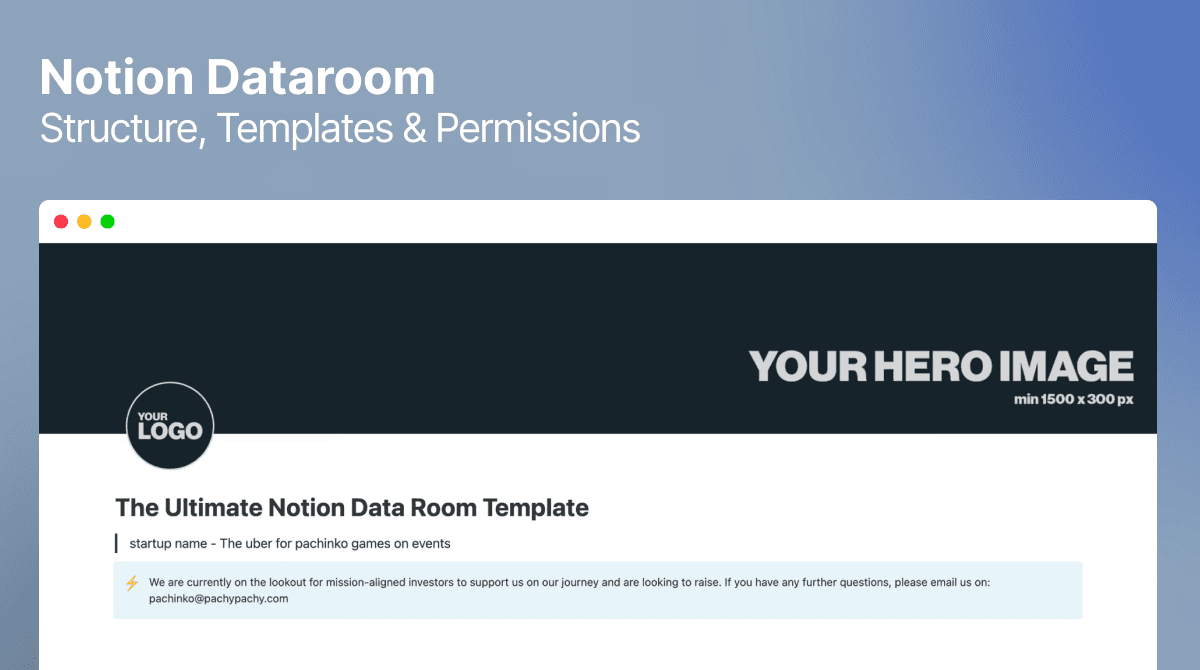
Notion dataroom template

How to Set Up a Notion Dataroom for Your Business

In the fast-paced world of business, maintaining a reliable and organized data room is essential for success. As digital solutions continue to evolve, Notion has emerged as a versatile and powerful tool for creating efficient dataroom setups. This tool is not only flexible but also user-friendly, making it an ideal choice for businesses across all sectors. Whether you're managing a startup, a small business, or a large corporation, understanding how to effectively set up a Notion dataroom can significantly streamline your operations and enhance collaboration among team members. With the right setup, you can ensure that your team has quick access to crucial documents and data, facilitating smoother workflows and better decision-making.

A Notion dataroom is essentially a digital space where you can store, organize, and manage important documents, data, and information related to your business operations. Notion's flexible and user-friendly interface makes it an ideal choice for creating a dataroom that caters specifically to your unique needs. By centralizing your documents in one accessible location, Notion allows for easier sharing, access, and collaboration with your team, eliminating the inefficiencies of scattered information. Moreover, a Notion dataroom can grow and adapt with your business, offering scalable solutions as your data management needs evolve.

The concept of a dataroom extends beyond simple document storage; it represents a strategic approach to managing your business's information assets. By leveraging Notion's capabilities, you can create a dynamic and interactive environment where data is not just stored but actively used to drive insights and support operational goals. Whether you're dealing with financial documents, project plans, or legal agreements, a well-organized Notion dataroom can be a critical component of your business infrastructure.
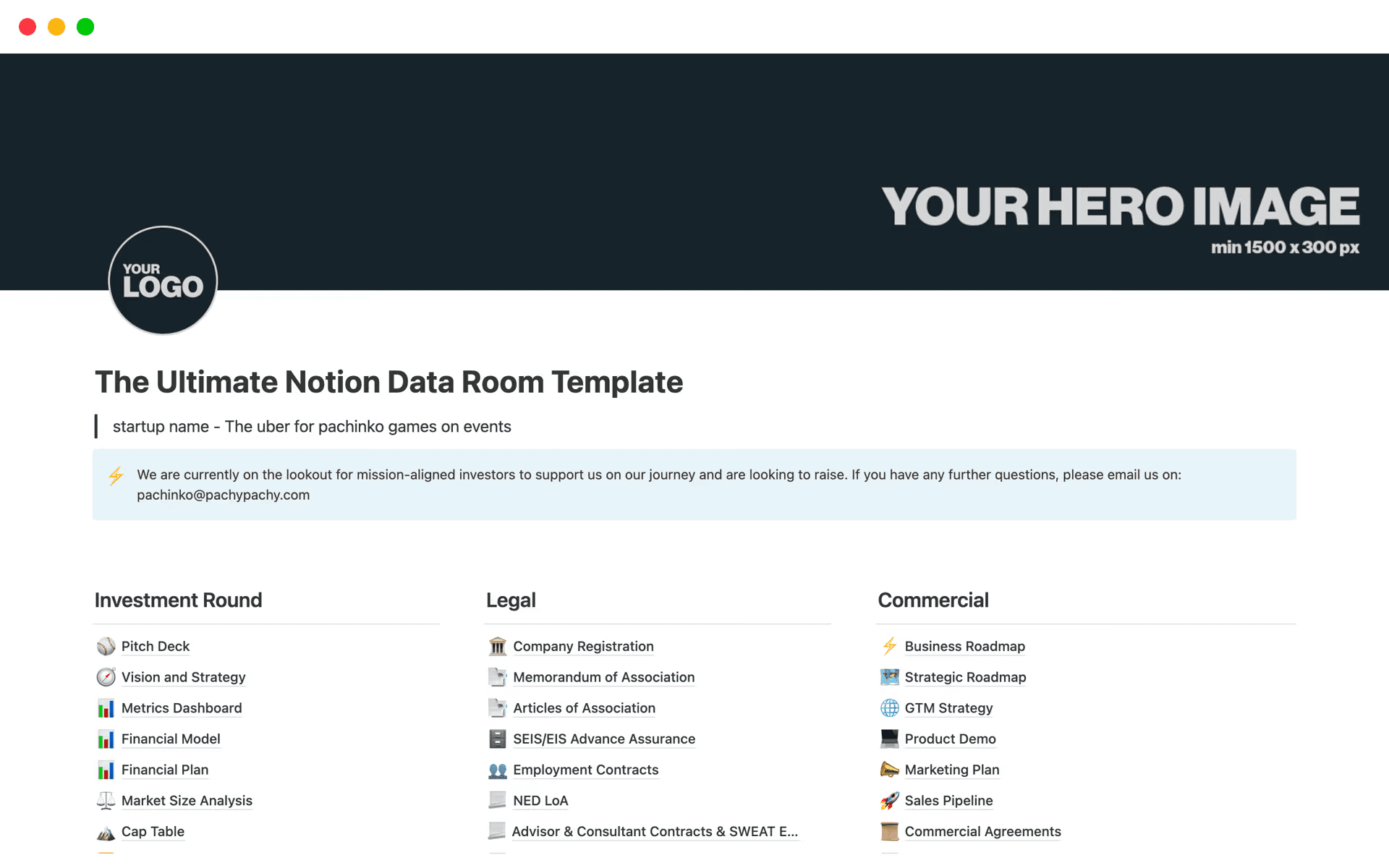
Notion database secure exemple


Why Choose Notion for Your Dataroom?

Versatility and Customization

Notion offers a high level of customization, allowing you to tailor your dataroom to fit your specific requirements and preferences. You can create different types of pages and databases, insert tables and lists, and even integrate other tools that your team uses on a daily basis. This versatility makes Notion a powerful tool for businesses of all sizes, enabling you to design a dataroom that aligns perfectly with your organizational structure and workflow. Furthermore, Notion's adaptability ensures that as your business grows and changes, your dataroom can easily be adjusted to meet new challenges and opportunities.

The ability to customize extends beyond simple layout adjustments. With Notion, you can build a more sophisticated information architecture that supports your operations:

  • Relational databases that interconnect various data points and give you a comprehensive view of your business

  • Custom dashboards that aggregate key metrics and surface insights at a glance

  • Linked views across departments that eliminate data duplication

  • Filtered galleries and tables that adapt to each team member's workflow

This interconnectedness allows for more informed decision-making and a deeper understanding of your business dynamics, turning your dataroom into a hub of strategic insights.

Ease of Use

One of the standout features of Notion is its ease of use, making it accessible to users of all technical abilities. You don't need to be a tech wizard to set up an effective dataroom. With its intuitive drag-and-drop interface, you can quickly organize your files, create templates, and manage your data with ease. Notion's user-friendly design means that even team members who are less comfortable with technology can navigate the platform confidently, reducing the learning curve and increasing adoption across your organization.

The simplicity of Notion's interface does not compromise its functionality. While it's easy to use, Notion is equipped with powerful features that can handle complex data management tasks. This balance between simplicity and capability ensures that your team can efficiently manage data without feeling overwhelmed by the technology, fostering an environment where productivity and innovation can thrive.

Collaboration and Accessibility

Notion enables seamless collaboration, allowing multiple team members to access and edit documents simultaneously. This feature is particularly useful when working on projects that require input from various departments, as it ensures that everyone is on the same page and can contribute in real-time. The collaborative nature of Notion helps break down silos within your organization, fostering a culture of openness and teamwork. Additionally, with its cloud-based nature, you can access your dataroom from anywhere, ensuring that your team stays connected and productive no matter where they are.

Beyond basic collaboration, Notion equips your team with a rich set of coordination tools:

  • Inline comments and @mentions for contextual, threaded discussions

  • Integrated task lists and assignments tied directly to relevant documents

  • Timeline and calendar views for project tracking

  • Cross-device access — desktop, mobile, and tablet — for remote and hybrid teams

The ability to access your dataroom from any device further enhances its utility, enabling remote work and supporting a flexible working environment.

Steps to Setting Up Your Notion Dataroom

Step 1: Define Your Structure

Before diving into the setup, it's important to define the structure of your dataroom. Consider what types of documents and data you'll be storing, and how they relate to each other. Will you need separate sections for financial documents, legal agreements, and project plans? Defining your structure upfront will make the setup process smoother and help you create a logical and intuitive arrangement of your information. A well-thought-out structure can also improve navigation, making it easier for team members to find what they need quickly.

As you define your structure, think about the long-term use of your dataroom. Consider potential changes in your business operations and how your dataroom will need to adapt. Planning for scalability and flexibility from the outset will save you time and effort down the line, ensuring that your dataroom remains effective as your business grows and evolves.

Step 2: Create Databases and Pages

Once you've defined the structure, start by creating databases and pages in Notion. Use pages to categorize your data, and databases to store detailed information. For instance, you might have a page titled "Financials" with databases for invoices, budgets, and financial statements. This categorization helps keep your dataroom organized and makes it easier for users to locate specific documents or datasets. By utilizing Notion's database features, you can also implement tagging and filtering systems that enhance data retrieval and analysis.

Creating databases and pages is just the beginning. As you populate your dataroom, consider how the organization of your data can support your business objectives. For example, linking related databases or creating dashboards that aggregate key information can provide valuable insights and facilitate strategic decision-making. By leveraging Notion's powerful data management capabilities, you can transform your dataroom into a dynamic resource that drives business success.

Step 3: Utilize Templates

Notion offers a variety of templates to help you get started. These templates can save you time and provide a foundation that you can customize to meet your needs. Whether you need a project management template or a content calendar, explore Notion's template library to find what suits you best — including purpose-built finance and investor dataroom templates. Templates can serve as a great starting point, allowing you to focus on customizing the dataroom to fit your specific requirements rather than starting from scratch.

In addition to using pre-made templates, consider creating your own custom templates for recurring tasks or processes. Custom templates ensure consistency in how information is recorded and presented, reducing errors and improving efficiency. By standardizing key processes through templates, you can streamline operations and ensure that your team adheres to best practices in data management and collaboration.
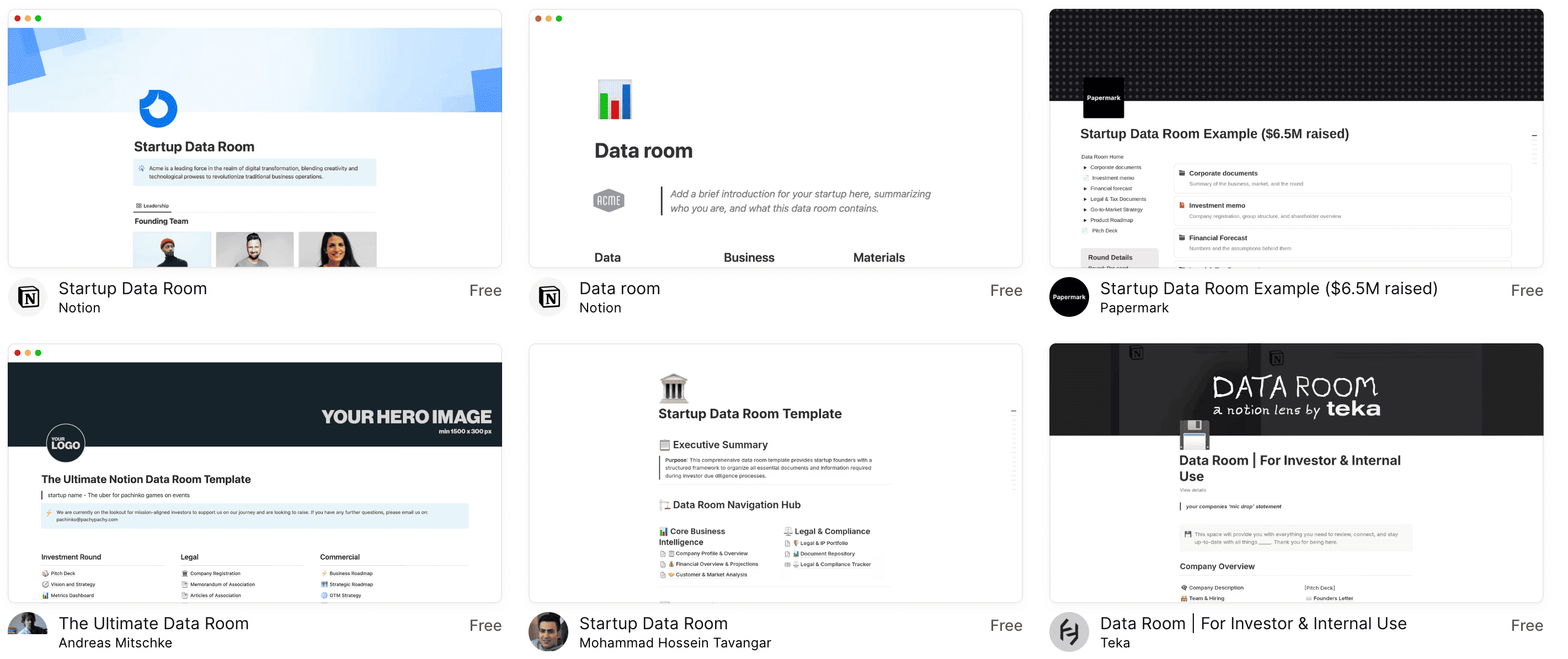
Dataroom notion templates list

Step 4: Add Your Data

With your structure in place, start adding your data to the relevant sections. To keep your dataroom clean and consistent as you build it out:

  • Use Notion's rich text features to format documents clearly with headings, callouts, and dividers

  • Embed links, images, and files directly within pages rather than listing them as separate attachments

  • Maintain a consistent naming convention across all pages and databases

  • Review and update data regularly to keep the dataroom current and reflecting the latest developments

A well-designed dataroom enhances user engagement, making it easier for team members to interact with the data and extract valuable insights.

Step 5: Set Permissions and Share

Once your dataroom is populated with data, set permissions to control who can view and edit the content. Notion allows you to customize access levels, ensuring that sensitive information is only accessible to authorized personnel. Share the dataroom with your team and provide any necessary training to ensure everyone knows how to navigate and use it effectively. Clear communication about how to use the dataroom can improve adoption and ensure that all team members are maximizing its potential.

Setting permissions is not just about security; it's also about empowering your team. By carefully managing access rights, you can ensure that team members have the information they need to perform their roles effectively, without being overwhelmed by irrelevant data. This balance between accessibility and control is key to maintaining an efficient and productive work environment.

Going Further: Track Who Opens Your Documents

A well-configured Notion dataroom is ideal for managing information internally — but what about the documents you share externally? When you send a proposal, a pitch deck, or a financial summary to a prospect, investor, or partner, you lose all visibility the moment the file leaves your workspace. You won't know if they opened it, which pages they read, or when to follow up.

This is where dedicated document tracking software adds a professional layer on top of your Notion setup. Tools like BridgePDF let you replace email attachments with trackable links. Instead of sending a PDF, you share a link — and the moment your recipient opens it, you get a real-time notification along with full analytics on their session.

💡 Why it matters: Documents shared from your Notion dataroom are typically static once exported. A document tracking tool bridges the gap between your internal dataroom and your external outreach, giving you the intelligence needed to follow up at exactly the right time.

Here is what you can track when combining a Notion dataroom with a tool like BridgePDF's document analytics:

Without tracking

With BridgePDF tracking

You don't know if they opened it

Real-time alert the moment they open the link

No visibility into which pages they read

Page-by-page analytics and time-on-page data

No idea if they forwarded it

Forward detection reveals new stakeholders

Generic follow-ups ("just checking in")

Context-specific follow-ups based on engagement

File cannot be revoked once sent

Revoke access or update the file at any time

This is especially valuable for sales proposals, investor materials, legal documents, and any sensitive content that flows out of your Notion dataroom. You can also add lead capture pages before the document opens — turning every shared PDF into a qualified lead, with no changes required to your Notion setup.

For teams that regularly share PDFs externally, BridgePDF's sales tracking features integrate directly with Salesforce, HubSpot, and Pipedrive, so engagement data flows straight into your CRM alongside the rest of your deal activity.

Best Practices for Maintaining Your Notion Dataroom

Regular Updates

Keep your dataroom up to date by regularly reviewing and updating the information. Remove outdated documents and ensure that new data is added promptly. This practice will help maintain the integrity and reliability of your dataroom, ensuring that it remains a valuable resource for your team. Regular updates also demonstrate a commitment to quality and accuracy, fostering trust and confidence in the information stored within your dataroom.

In addition to regular updates, establish a schedule for periodic reviews of your dataroom's structure and content. This proactive approach allows you to identify potential areas for improvement and make necessary adjustments, keeping your dataroom aligned with your business objectives and operational needs.

Backup Your Data

Although Notion is a reliable platform, it's always a good idea to have a backup of your critical data. Consider exporting your Notion pages and databases periodically to ensure you have a copy in case of any unforeseen issues. Backups can serve as an insurance policy, providing peace of mind and protecting your business against data loss due to technical failures or unexpected events.

Implementing a regular backup routine can be part of a broader data management strategy, ensuring that your business is prepared for various scenarios. Consider automating backups where possible, and store copies in a secure location to further safeguard your valuable information assets.

Encourage Feedback

Encourage your team to provide feedback on the dataroom setup. They might have suggestions for improvements or identify areas that need more organization. Regular feedback will help refine the dataroom and make it more effective for everyone involved. By fostering an open dialogue about the dataroom, you can ensure that it continues to meet the evolving needs of your team and supports their efforts in achieving business goals.

Feedback is not just about identifying problems; it's also an opportunity to recognize successes and share best practices. Encourage team members to share what works well in the dataroom, and explore how these elements can be expanded or applied to other areas. This collaborative approach to continuous improvement can enhance the overall effectiveness of your dataroom and drive greater value for your organization.

Conclusion

Setting up a Notion dataroom can revolutionize the way your business manages and accesses information. With its versatility, ease of use, and collaborative features, Notion provides an excellent platform for creating an organized and efficient dataroom. By following the steps outlined in this guide and implementing best practices, you can create a Notion dataroom that enhances productivity and collaboration within your team. Start today and experience the difference a well-structured dataroom can make in your business operations.

A well-designed Notion dataroom is more than just a tool; it's a strategic asset that can transform how your business operates. By centralizing your data and making it accessible, you empower your team to work more efficiently and make informed decisions. And when it comes to sharing those documents externally, pairing your Notion dataroom with a solution like BridgePDF gives you the full picture — not just who has access internally, but exactly who is engaging with your content on the outside. As you continue to refine and optimize your dataroom, you'll discover new ways to leverage these tools together to drive success and achieve your business objectives.


How to Set Up a Notion Dataroom for Your Business

In the fast-paced world of business, maintaining a reliable and organized data room is essential for success. As digital solutions continue to evolve, Notion has emerged as a versatile and powerful tool for creating efficient dataroom setups. This tool is not only flexible but also user-friendly, making it an ideal choice for businesses across all sectors. Whether you're managing a startup, a small business, or a large corporation, understanding how to effectively set up a Notion dataroom can significantly streamline your operations and enhance collaboration among team members. With the right setup, you can ensure that your team has quick access to crucial documents and data, facilitating smoother workflows and better decision-making.

A Notion dataroom is essentially a digital space where you can store, organize, and manage important documents, data, and information related to your business operations. Notion's flexible and user-friendly interface makes it an ideal choice for creating a dataroom that caters specifically to your unique needs. By centralizing your documents in one accessible location, Notion allows for easier sharing, access, and collaboration with your team, eliminating the inefficiencies of scattered information. Moreover, a Notion dataroom can grow and adapt with your business, offering scalable solutions as your data management needs evolve.

The concept of a dataroom extends beyond simple document storage; it represents a strategic approach to managing your business's information assets. By leveraging Notion's capabilities, you can create a dynamic and interactive environment where data is not just stored but actively used to drive insights and support operational goals. Whether you're dealing with financial documents, project plans, or legal agreements, a well-organized Notion dataroom can be a critical component of your business infrastructure.

Notion database secure exemple


Why Choose Notion for Your Dataroom?

Versatility and Customization

Notion offers a high level of customization, allowing you to tailor your dataroom to fit your specific requirements and preferences. You can create different types of pages and databases, insert tables and lists, and even integrate other tools that your team uses on a daily basis. This versatility makes Notion a powerful tool for businesses of all sizes, enabling you to design a dataroom that aligns perfectly with your organizational structure and workflow. Furthermore, Notion's adaptability ensures that as your business grows and changes, your dataroom can easily be adjusted to meet new challenges and opportunities.

The ability to customize extends beyond simple layout adjustments. With Notion, you can build a more sophisticated information architecture that supports your operations:

  • Relational databases that interconnect various data points and give you a comprehensive view of your business

  • Custom dashboards that aggregate key metrics and surface insights at a glance

  • Linked views across departments that eliminate data duplication

  • Filtered galleries and tables that adapt to each team member's workflow

This interconnectedness allows for more informed decision-making and a deeper understanding of your business dynamics, turning your dataroom into a hub of strategic insights.

Ease of Use

One of the standout features of Notion is its ease of use, making it accessible to users of all technical abilities. You don't need to be a tech wizard to set up an effective dataroom. With its intuitive drag-and-drop interface, you can quickly organize your files, create templates, and manage your data with ease. Notion's user-friendly design means that even team members who are less comfortable with technology can navigate the platform confidently, reducing the learning curve and increasing adoption across your organization.

The simplicity of Notion's interface does not compromise its functionality. While it's easy to use, Notion is equipped with powerful features that can handle complex data management tasks. This balance between simplicity and capability ensures that your team can efficiently manage data without feeling overwhelmed by the technology, fostering an environment where productivity and innovation can thrive.

Collaboration and Accessibility

Notion enables seamless collaboration, allowing multiple team members to access and edit documents simultaneously. This feature is particularly useful when working on projects that require input from various departments, as it ensures that everyone is on the same page and can contribute in real-time. The collaborative nature of Notion helps break down silos within your organization, fostering a culture of openness and teamwork. Additionally, with its cloud-based nature, you can access your dataroom from anywhere, ensuring that your team stays connected and productive no matter where they are.

Beyond basic collaboration, Notion equips your team with a rich set of coordination tools:

  • Inline comments and @mentions for contextual, threaded discussions

  • Integrated task lists and assignments tied directly to relevant documents

  • Timeline and calendar views for project tracking

  • Cross-device access — desktop, mobile, and tablet — for remote and hybrid teams

The ability to access your dataroom from any device further enhances its utility, enabling remote work and supporting a flexible working environment.

Steps to Setting Up Your Notion Dataroom

Step 1: Define Your Structure

Before diving into the setup, it's important to define the structure of your dataroom. Consider what types of documents and data you'll be storing, and how they relate to each other. Will you need separate sections for financial documents, legal agreements, and project plans? Defining your structure upfront will make the setup process smoother and help you create a logical and intuitive arrangement of your information. A well-thought-out structure can also improve navigation, making it easier for team members to find what they need quickly.

As you define your structure, think about the long-term use of your dataroom. Consider potential changes in your business operations and how your dataroom will need to adapt. Planning for scalability and flexibility from the outset will save you time and effort down the line, ensuring that your dataroom remains effective as your business grows and evolves.

Step 2: Create Databases and Pages

Once you've defined the structure, start by creating databases and pages in Notion. Use pages to categorize your data, and databases to store detailed information. For instance, you might have a page titled "Financials" with databases for invoices, budgets, and financial statements. This categorization helps keep your dataroom organized and makes it easier for users to locate specific documents or datasets. By utilizing Notion's database features, you can also implement tagging and filtering systems that enhance data retrieval and analysis.

Creating databases and pages is just the beginning. As you populate your dataroom, consider how the organization of your data can support your business objectives. For example, linking related databases or creating dashboards that aggregate key information can provide valuable insights and facilitate strategic decision-making. By leveraging Notion's powerful data management capabilities, you can transform your dataroom into a dynamic resource that drives business success.

Step 3: Utilize Templates

Notion offers a variety of templates to help you get started. These templates can save you time and provide a foundation that you can customize to meet your needs. Whether you need a project management template or a content calendar, explore Notion's template library to find what suits you best — including purpose-built finance and investor dataroom templates. Templates can serve as a great starting point, allowing you to focus on customizing the dataroom to fit your specific requirements rather than starting from scratch.

In addition to using pre-made templates, consider creating your own custom templates for recurring tasks or processes. Custom templates ensure consistency in how information is recorded and presented, reducing errors and improving efficiency. By standardizing key processes through templates, you can streamline operations and ensure that your team adheres to best practices in data management and collaboration.

Dataroom notion templates list

Step 4: Add Your Data

With your structure in place, start adding your data to the relevant sections. To keep your dataroom clean and consistent as you build it out:

  • Use Notion's rich text features to format documents clearly with headings, callouts, and dividers

  • Embed links, images, and files directly within pages rather than listing them as separate attachments

  • Maintain a consistent naming convention across all pages and databases

  • Review and update data regularly to keep the dataroom current and reflecting the latest developments

A well-designed dataroom enhances user engagement, making it easier for team members to interact with the data and extract valuable insights.

Step 5: Set Permissions and Share

Once your dataroom is populated with data, set permissions to control who can view and edit the content. Notion allows you to customize access levels, ensuring that sensitive information is only accessible to authorized personnel. Share the dataroom with your team and provide any necessary training to ensure everyone knows how to navigate and use it effectively. Clear communication about how to use the dataroom can improve adoption and ensure that all team members are maximizing its potential.

Setting permissions is not just about security; it's also about empowering your team. By carefully managing access rights, you can ensure that team members have the information they need to perform their roles effectively, without being overwhelmed by irrelevant data. This balance between accessibility and control is key to maintaining an efficient and productive work environment.

Going Further: Track Who Opens Your Documents

A well-configured Notion dataroom is ideal for managing information internally — but what about the documents you share externally? When you send a proposal, a pitch deck, or a financial summary to a prospect, investor, or partner, you lose all visibility the moment the file leaves your workspace. You won't know if they opened it, which pages they read, or when to follow up.

This is where dedicated document tracking software adds a professional layer on top of your Notion setup. Tools like BridgePDF let you replace email attachments with trackable links. Instead of sending a PDF, you share a link — and the moment your recipient opens it, you get a real-time notification along with full analytics on their session.

💡 Why it matters: Documents shared from your Notion dataroom are typically static once exported. A document tracking tool bridges the gap between your internal dataroom and your external outreach, giving you the intelligence needed to follow up at exactly the right time.

Here is what you can track when combining a Notion dataroom with a tool like BridgePDF's document analytics:

Without tracking

With BridgePDF tracking

You don't know if they opened it

Real-time alert the moment they open the link

No visibility into which pages they read

Page-by-page analytics and time-on-page data

No idea if they forwarded it

Forward detection reveals new stakeholders

Generic follow-ups ("just checking in")

Context-specific follow-ups based on engagement

File cannot be revoked once sent

Revoke access or update the file at any time

This is especially valuable for sales proposals, investor materials, legal documents, and any sensitive content that flows out of your Notion dataroom. You can also add lead capture pages before the document opens — turning every shared PDF into a qualified lead, with no changes required to your Notion setup.

For teams that regularly share PDFs externally, BridgePDF's sales tracking features integrate directly with Salesforce, HubSpot, and Pipedrive, so engagement data flows straight into your CRM alongside the rest of your deal activity.

Best Practices for Maintaining Your Notion Dataroom

Regular Updates

Keep your dataroom up to date by regularly reviewing and updating the information. Remove outdated documents and ensure that new data is added promptly. This practice will help maintain the integrity and reliability of your dataroom, ensuring that it remains a valuable resource for your team. Regular updates also demonstrate a commitment to quality and accuracy, fostering trust and confidence in the information stored within your dataroom.

In addition to regular updates, establish a schedule for periodic reviews of your dataroom's structure and content. This proactive approach allows you to identify potential areas for improvement and make necessary adjustments, keeping your dataroom aligned with your business objectives and operational needs.

Backup Your Data

Although Notion is a reliable platform, it's always a good idea to have a backup of your critical data. Consider exporting your Notion pages and databases periodically to ensure you have a copy in case of any unforeseen issues. Backups can serve as an insurance policy, providing peace of mind and protecting your business against data loss due to technical failures or unexpected events.

Implementing a regular backup routine can be part of a broader data management strategy, ensuring that your business is prepared for various scenarios. Consider automating backups where possible, and store copies in a secure location to further safeguard your valuable information assets.

Encourage Feedback

Encourage your team to provide feedback on the dataroom setup. They might have suggestions for improvements or identify areas that need more organization. Regular feedback will help refine the dataroom and make it more effective for everyone involved. By fostering an open dialogue about the dataroom, you can ensure that it continues to meet the evolving needs of your team and supports their efforts in achieving business goals.

Feedback is not just about identifying problems; it's also an opportunity to recognize successes and share best practices. Encourage team members to share what works well in the dataroom, and explore how these elements can be expanded or applied to other areas. This collaborative approach to continuous improvement can enhance the overall effectiveness of your dataroom and drive greater value for your organization.

Conclusion

Setting up a Notion dataroom can revolutionize the way your business manages and accesses information. With its versatility, ease of use, and collaborative features, Notion provides an excellent platform for creating an organized and efficient dataroom. By following the steps outlined in this guide and implementing best practices, you can create a Notion dataroom that enhances productivity and collaboration within your team. Start today and experience the difference a well-structured dataroom can make in your business operations.

A well-designed Notion dataroom is more than just a tool; it's a strategic asset that can transform how your business operates. By centralizing your data and making it accessible, you empower your team to work more efficiently and make informed decisions. And when it comes to sharing those documents externally, pairing your Notion dataroom with a solution like BridgePDF gives you the full picture — not just who has access internally, but exactly who is engaging with your content on the outside. As you continue to refine and optimize your dataroom, you'll discover new ways to leverage these tools together to drive success and achieve your business objectives.

Table of contents

March 3, 2026

Eliott BAYLOT

Share this article

Share this article

Send a shareable link to your team or anyone who might find it useful.

Send a shareable link to your team or anyone who might find it useful.

Copy link

Copied

Share directly to

Table of contents

Send smarter.
Close faster.

100% of sales teams track emails. Almost none track documents.